Intelligence, Not Dashboards
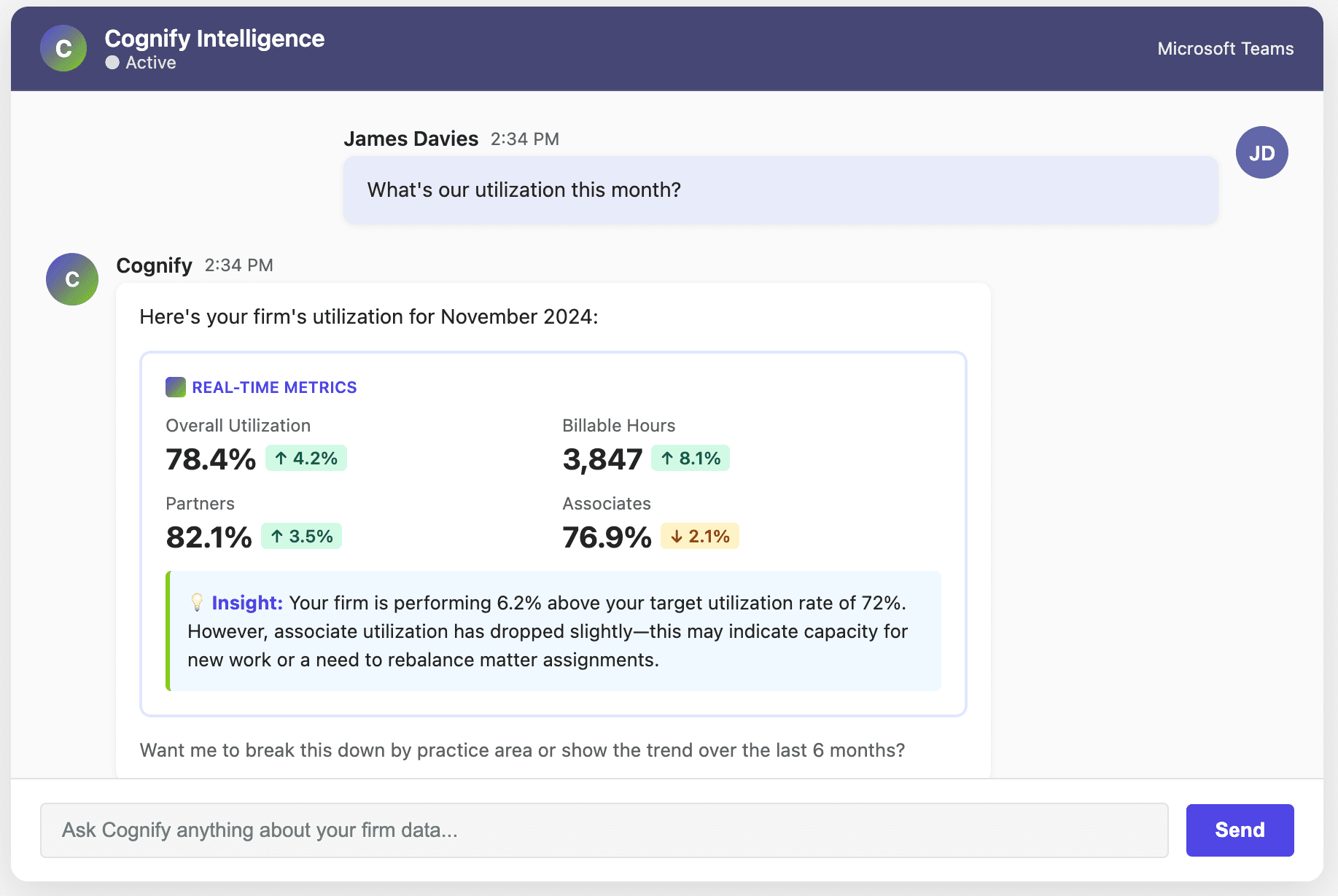
Get instant insights from your practice management systems—right where you work. No dashboards to check. No training required. Just answers when you need them.
Traditional BI Fails Law Firms
Despite investing £50-150K in business intelligence platforms, mid-market law firms achieve single-digit adoption rates. Your data team builds dashboards nobody uses.
People Don't Go Look
Partners are too busy serving clients to remember to check dashboards. Traditional BI requires users to open another app, know what to ask, and navigate complex interfaces. It never becomes part of their workflow.
People Don't Know What to Look For
Even when users check dashboards, they don't know which metrics matter or what questions to ask. Critical issues—revenue leaks, utilization drops, client risks—fall through the cracks because nobody thought to look.
Answers Where You Work
Cognify embeds into Microsoft 365 through Co-Pilot integration. When you need data, it's immediately available—in Word, Excel, PowerPoint, Outlook, and Teams. No context switching. No separate apps.
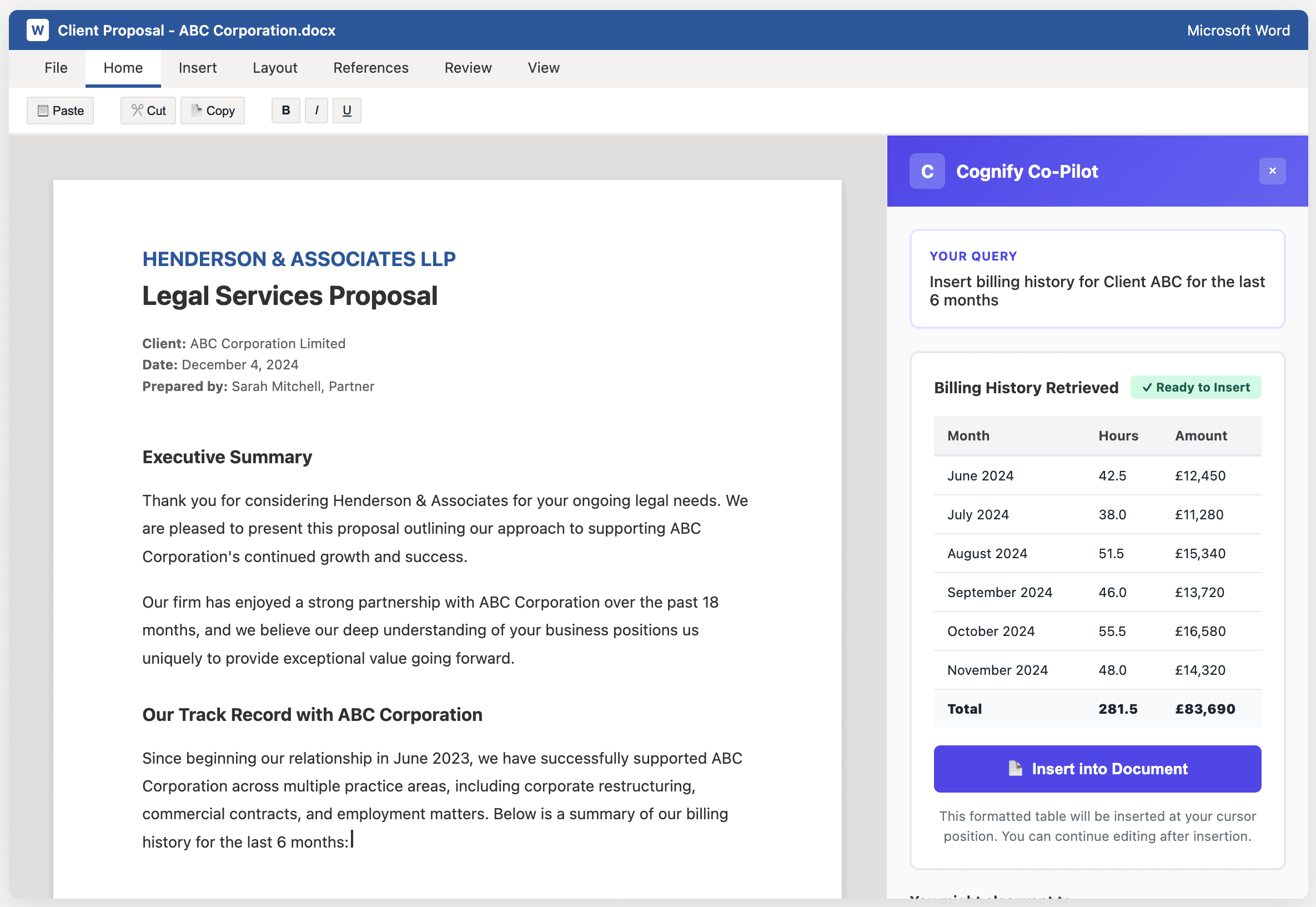
In Word
Drafting a client proposal? Ask Cognify to insert matter status, billing history, or team utilization directly into your document. No copy-paste, no manual formatting.
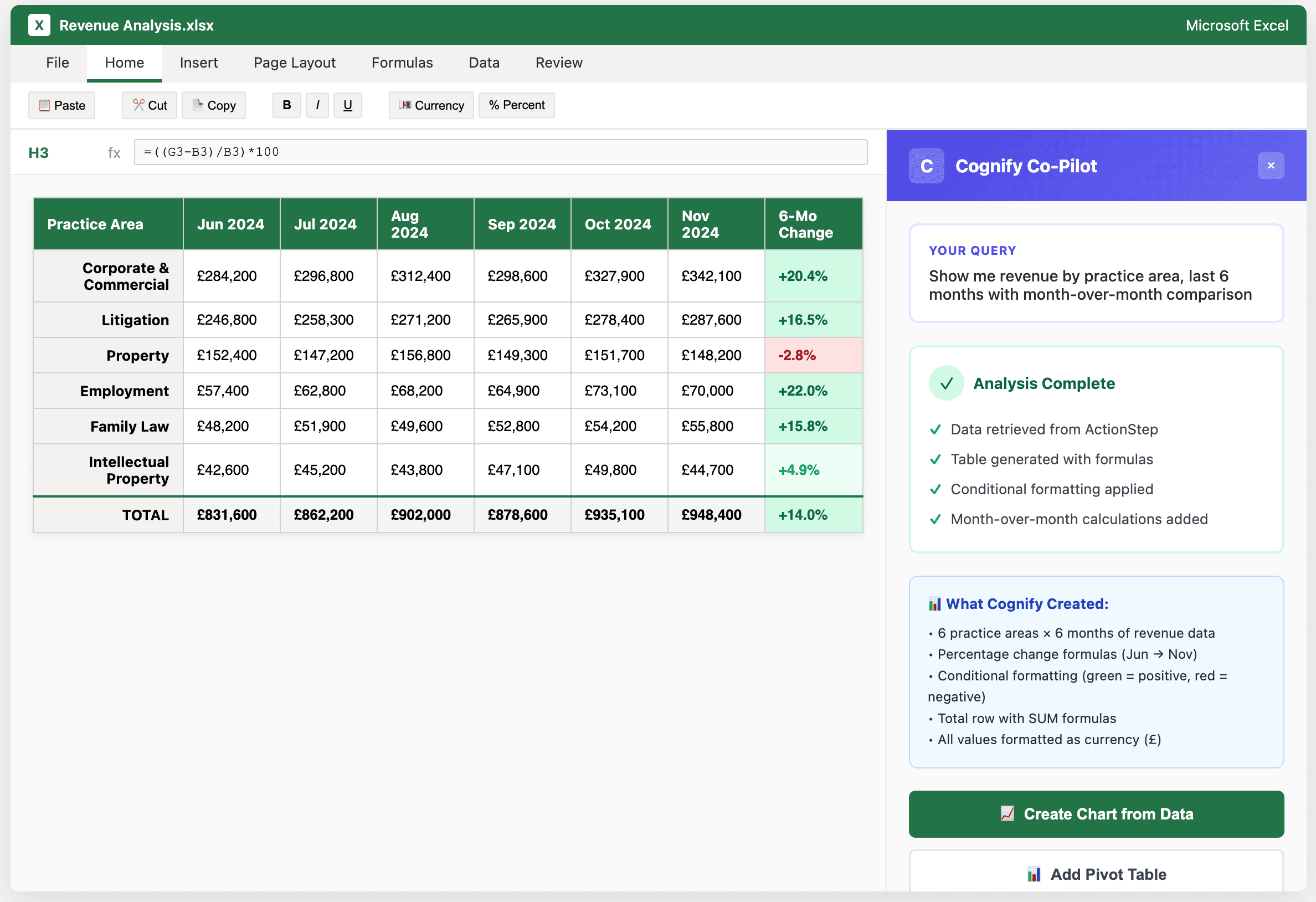
In Excel
Building a financial model? Request revenue projections, matter profitability, or client concentration data that populates automatically with current figures.
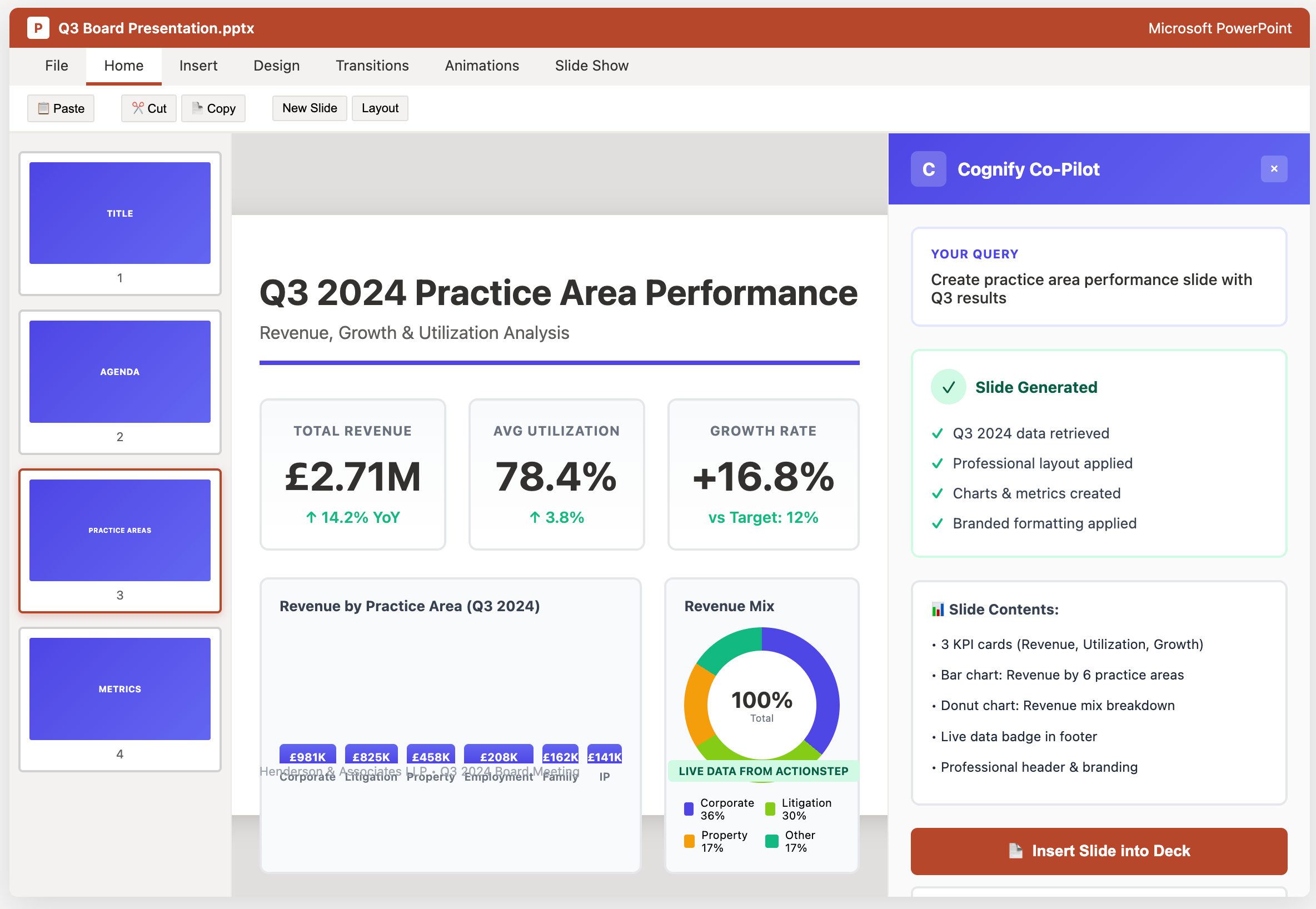
In PowerPoint
Preparing a board presentation? Pull in real-time KPIs, practice area performance, or pipeline analysis. Your slides stay current with live data.
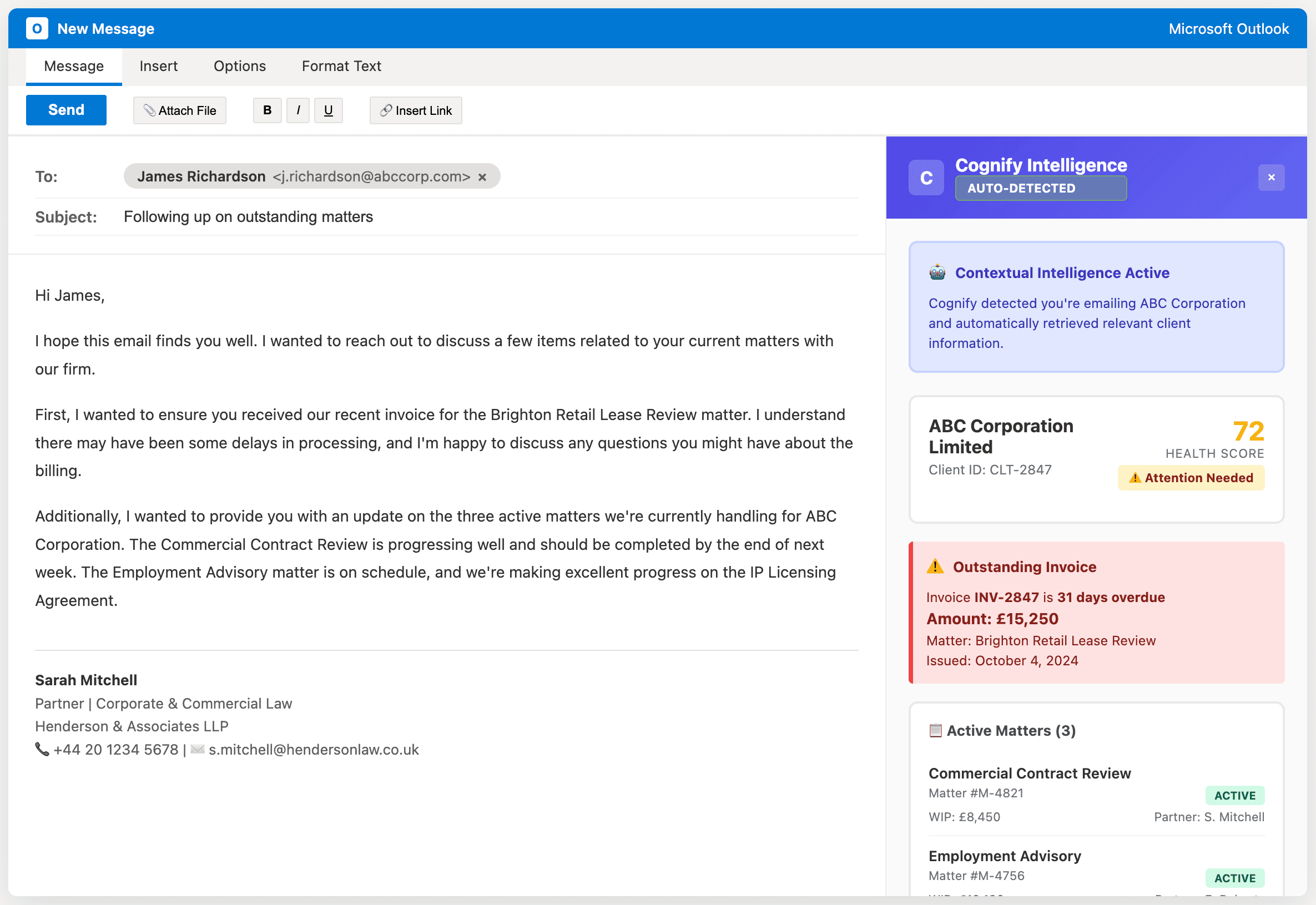
In Outlook
Emailing a client? See contextual intelligence about outstanding invoices, matter status, or relationship health without leaving your inbox. Smart context, zero effort.
Alerts for What You're Not Thinking About
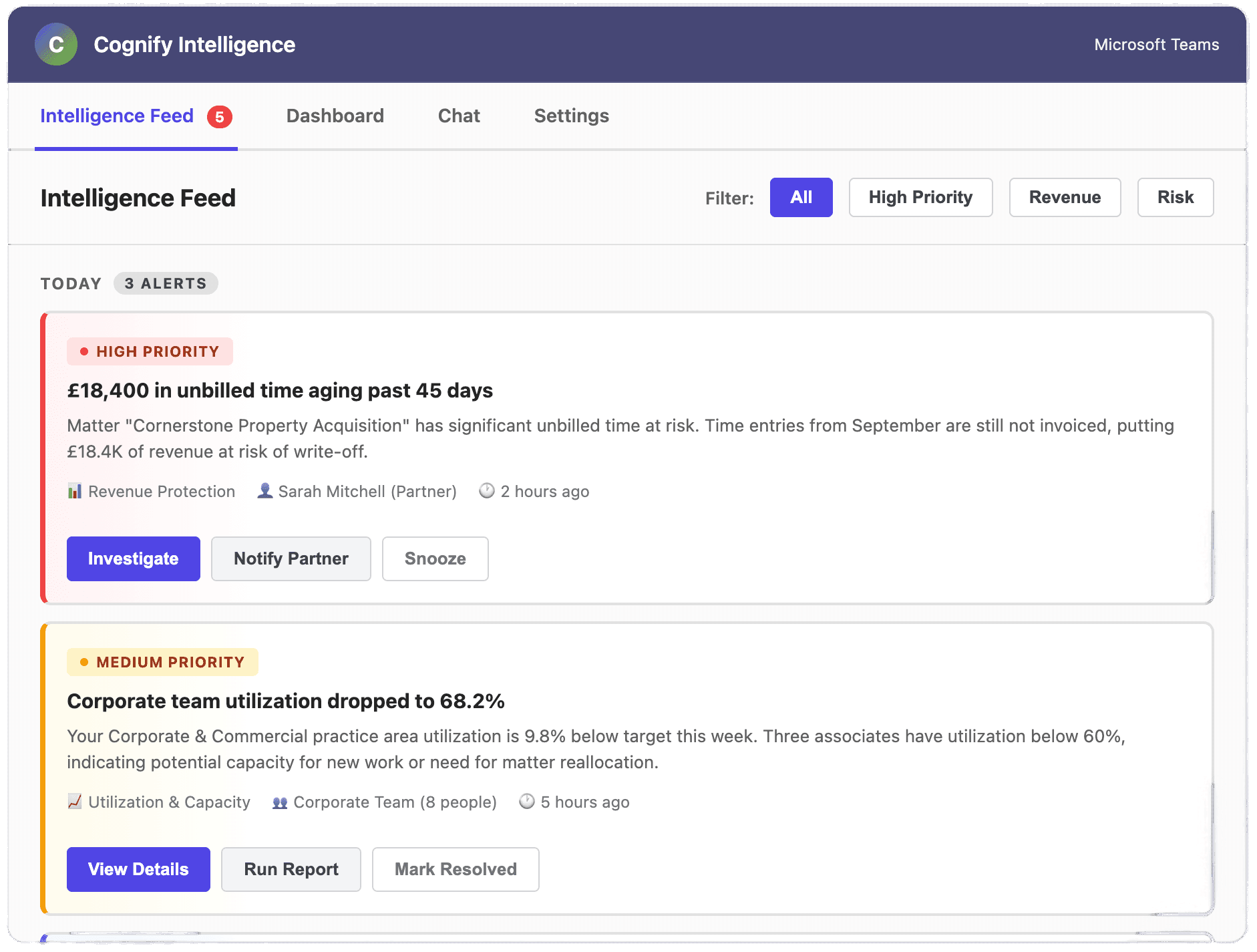
The Intelligence Feed continuously monitors all connected systems and surfaces insights, recommendations, and alerts. It tells you what matters before problems become crises.
Client ABC hasn't been invoiced in 45 days despite 12.5 hours of unbilled time—potential £4,800 revenue leak.
Your litigation team's utilization dropped 8% this week—three matters went quiet. Investigate?
Partner Sarah has five matters approaching statute of limitations in the next 30 days.
Q4 revenue trending 15% below target—current forecast shows £127K shortfall by year-end.
Client XYZ last contacted 90 days ago. Their annual retainer renews in 45 days—schedule a check-in?
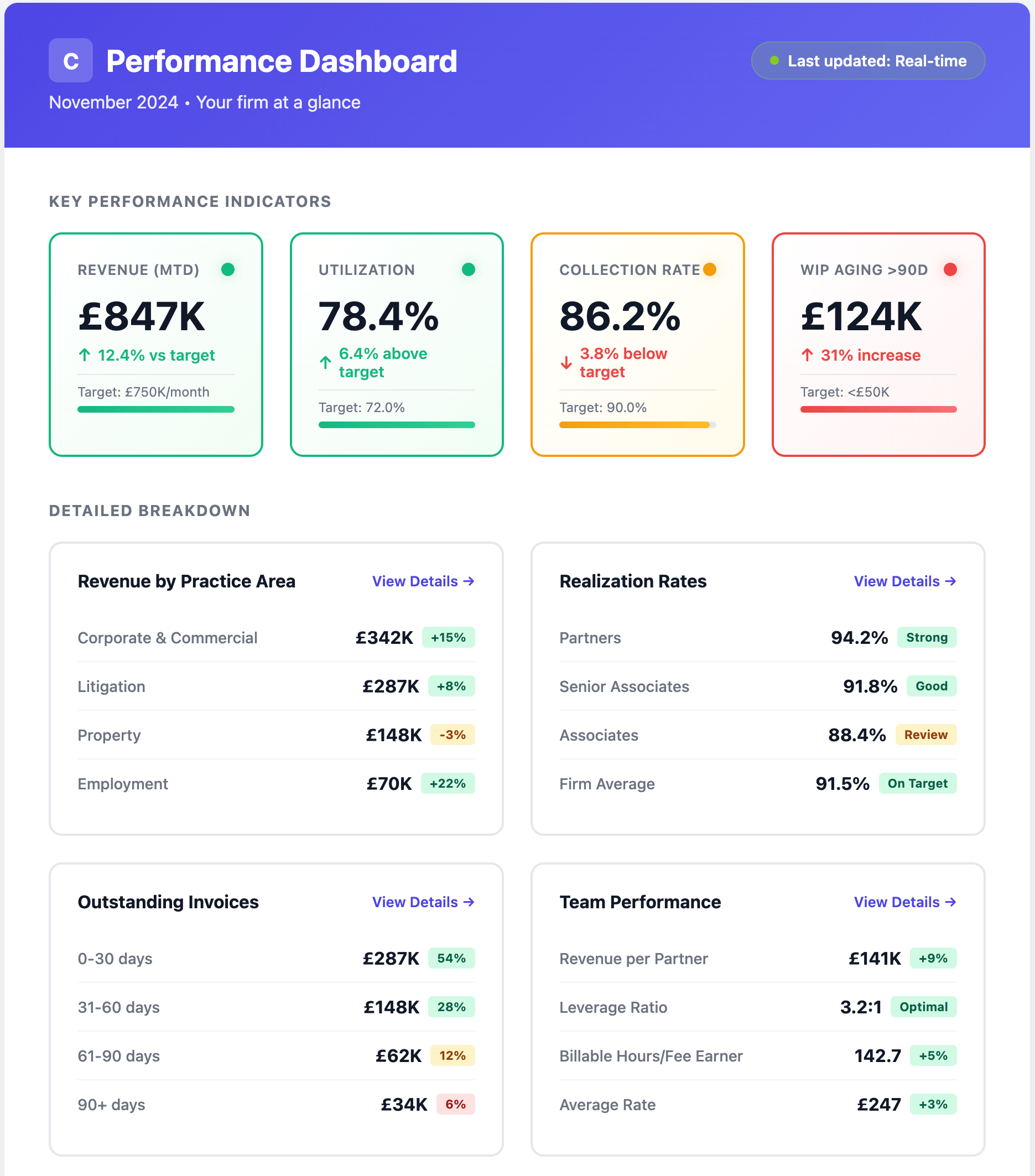
Simplified Executive View
For management teams who want at-a-glance firm performance, the Performance tab provides a clean dashboard—without the configuration nightmare of traditional BI.
Guided Setup
Cognify asks simple questions to configure targets and tolerances. "What's your target revenue per partner?" No data expertise required.
Prebuilt KPIs
Core metrics defined using legal industry best practices. Customize targets without needing to understand data modeling.
Proactive Maintenance
Intelligence Feed reminds you to update targets near year-end, review tolerances quarterly, adjust thresholds when conditions change.
Role-Based Views
Managing partners see firm-wide metrics. Practice heads see their department. Partners see their portfolio. Everyone sees what matters to them.
Why Traditional BI Fails and Cognify Succeeds
Zero friction adoption: Intelligence appears in tools lawyers use daily. No new applications, no training, no separate logins.
Impossible to ignore: Proactive alerts interrupt workflow at the right moment. Users don't need to remember to check anything.
Immediate value: The first time a partner pulls matter data into a proposal, the value is obvious and tangible.
Solves both failures: Co-Pilot means they don't need to "go look." Intelligence Feed means they don't need to "know what to look for."
"Traditional BI expects partners to open dashboards and know what questions to ask. Cognify works the opposite way: When you're actively working, Cognify is right there with the answers. When you're not thinking about something, Cognify taps you on the shoulder to say 'this needs attention.' You never need to remember to check a dashboard again."
See Cognify in Action
Book a 30-minute demo to see how Cognify delivers intelligence where your team actually works—no dashboards required.